Most voice assistants you can build today force a choice. Either you rent a hosted realtime API and accept that every word your users say leaves your building, or you assemble a speech stack yourself and spend a month on the plumbing between the microphone and the speaker.
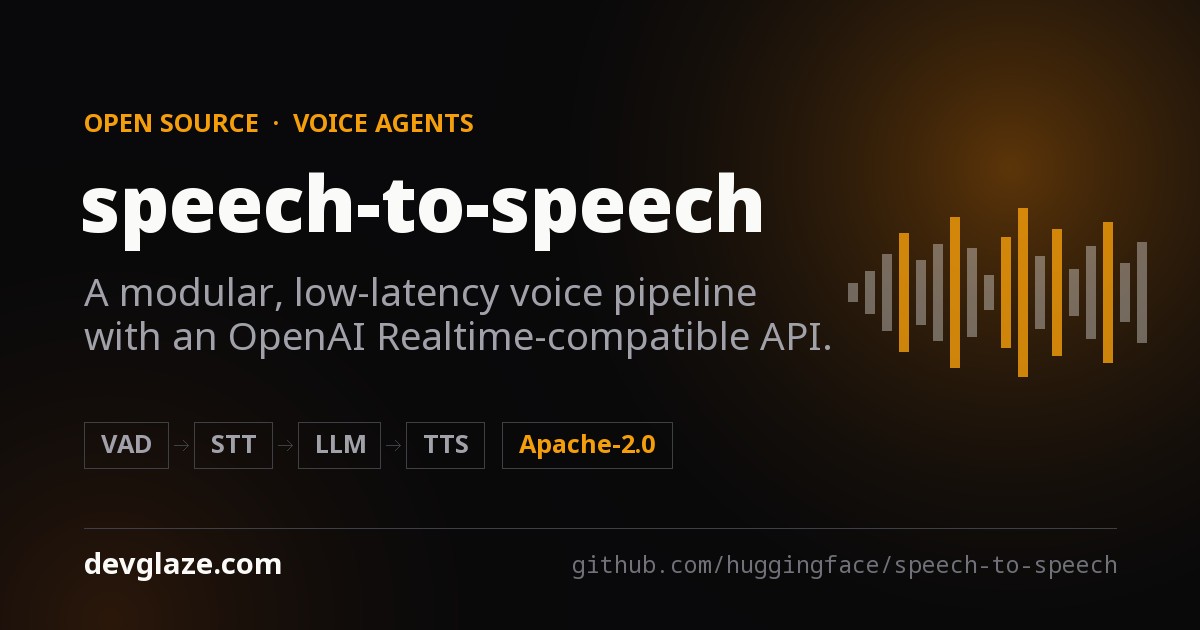
Hugging Face's speech-to-speech is an attempt to remove that choice. It is a four-stage voice pipeline — voice activity detection, speech-to-text, a language model, text-to-speech — wired together, tuned for turn-taking, and exposed through an OpenAI Realtime-compatible WebSocket API. Point an existing Realtime client at your own server instead of OpenAI's and, in principle, nothing else in your app changes.
Every stage is swappable by CLI flag. The language model slot speaks OpenAI-compatible protocols, so it can be a hosted provider, Hugging Face Inference Providers, or a vLLM or llama.cpp server on the machine under your desk — which is what makes a fully local, fully open stack possible.
It is not a research demo. The project states that this pipeline runs in production as the conversation backend for thousands of Reachy Mini robots.
The short version
- Cascade, not end-to-end — VAD → STT → LLM → TTS, each stage in its own thread, connected by queues.
- Drop-in Realtime API — WebSocket and WebRTC at
/v1/realtime, so stock OpenAI clients connect unmodified. - Every component swappable — pick STT, LLM and TTS backends with
--stt,--llm_backendand--tts. - Runs fully local — Parakeet TDT for STT, Qwen3-TTS for speech, llama.cpp or vLLM for the model.
- Four run modes — realtime, your own microphone, raw PCM over WebSocket, raw PCM over TCP.
- Apache-2.0. github.com/huggingface/speech-to-speech — 10.4k stars, 35 contributors.
Why a cascade, not one big model
There are two ways to build a voice agent. The fashionable one is end-to-end: a single model that takes audio in and emits audio out, with no text in the middle. The other is the cascade — transcribe, think, speak — which is what speech-to-speech does.
The cascade has a real cost. Every stage adds latency, and the text bottleneck throws away tone, hesitation and emphasis before the model ever sees them. But it buys three things that matter a great deal in practice:
- You can swap any part. If a better open STT model lands next month, you change one flag. An end-to-end model has to be retrained.
- You can see what happened. There is a transcript at the boundary between every stage. When the agent says something odd, you can tell whether it misheard or mis-reasoned — a distinction that is almost impossible to make inside a single audio-to-audio model.
- You can mix hosted and local. Run the small, cheap stages on your own hardware and rent only the language model, or rent nothing at all.
That third point is the practical heart of this project. The README is explicit that the LLM is the most compute-intensive and highest-latency component in the pipeline, and that a single forward pass through a large model can dominate end-to-end response time. Everything else — VAD, transcription, speech synthesis — is small enough to keep on the machine. The architecture is arranged so that the one expensive stage is the one you get to place wherever you like.
The four stages
The pipeline is a cascade of four components, each running in its own thread and connected by queues:
- Voice Activity Detection (VAD). Silero VAD v5 detects speech boundaries and turn-taking — deciding when you have started talking and, harder, when you have finished.
- Speech to Text (STT). Transcribes the user's turn, with optional live partial transcripts so the client can show words as they are recognised.
- Language Model (LLM). Generates the response, streaming text and tool calls.
- Text to Speech (TTS). Synthesises audio and streams it back to the client.
The threads-and-queues arrangement is what makes streaming possible. The TTS stage can begin speaking the first sentence while the language model is still generating the third, and the VAD stage keeps listening throughout — which is how interruption works at all. The project describes the code as designed for easy modification, with a focus on models available through Transformers and the Hugging Face Hub.
Installing it
Python 3.10 or newer. The package is on PyPI:
pip install speech-to-speechThe default install covers the standard realtime path, and it is worth knowing exactly what that means, because the defaults are already a working local-ish stack:
- Parakeet TDT for speech-to-text, running on your machine.
- An OpenAI-compatible API for the language model — the one piece that points outward by default.
- Qwen3-TTS for speech output, using the GGML backend on non-macOS platforms and
mlx-audioon Apple Silicon. - Local audio and realtime server modes.
macOS and non-macOS dependencies are resolved automatically through platform markers in pyproject.toml, so the same pip install line gives an Apple Silicon laptop the MLX path and a Linux box the CUDA path without you choosing.
From a source checkout, if you want to modify the pipeline itself:
git clone https://github.com/huggingface/speech-to-speech.git
cd speech-to-speech
uv sync
That installs the package in editable mode and puts the speech-to-speech CLI on your path.
The CUDA wheel you may need first
This is the one installation detail most likely to cost you an evening, so it is worth reading before you type anything.
On Linux, the Qwen3-TTS GGML backend comes from faster-qwen3-tts[ggml]. Its default qwentts-cpp-python wheel on PyPI targets CUDA 12.8. If your machine does not have the CUDA 12 runtime that wheel expects, install the matching wheel from the Hugging Face wheelhouse before installing speech-to-speech:
# CUDA 13.x
pip install "qwentts-cpp-python==0.3.1+cu130" \
  -f https://huggingface.co/datasets/andito/qwentts-cpp-python-wheels/tree/main/whl/cu130

# CUDA 12.4
pip install "qwentts-cpp-python==0.3.1+cu124" \
  -f https://huggingface.co/datasets/andito/qwentts-cpp-python-wheels/tree/main/whl/cu124

# CPU-only fallback
pip install "qwentts-cpp-python==0.3.1+cpu" \
  -f https://huggingface.co/datasets/andito/qwentts-cpp-python-wheels/tree/main/whl/cpu

pip install speech-to-speech
If you would rather sidestep GGML entirely, the previous CUDA-graphs implementation is still there: pass --qwen3_tts_backend torch.
Optional backends, and one dependency conflict
Extra backends install as pip extras, so you only pull the weight you actually use:
pip install "speech-to-speech[kokoro]"          # Kokoro-82M TTS on non-macOS
pip install "speech-to-speech[pocket]"          # Pocket TTS
pip install "speech-to-speech[chattts]"         # ChatTTS
pip install "speech-to-speech[facebook-mms]"    # MMS TTS
pip install "speech-to-speech[faster-whisper]"  # Faster Whisper STT
pip install "speech-to-speech[whisper-mlx]"     # Lightning Whisper MLX STT on macOS
pip install "speech-to-speech[paraformer]"      # Paraformer STT through FunASR
pip install "speech-to-speech[mlx-lm]"          # mlx-vlm support for vision models on macOS
Two things to note. Deprecated implementations, MeloTTS among them, live in archive/ and are no longer wired into the CLI — if you find a blog post from a year ago telling you to pass --tts melo, that flag is gone.
And there is a genuine conflict worth knowing about up front: DeepFilterNet, used for optional audio enhancement in VAD, requires numpy<2, while Pocket TTS requires numpy>=2. You cannot have both. DeepFilterNet is not installed by default; install it manually only in environments where you are not using Pocket TTS.
What you can plug in
The full matrix of supported backends, and where each one runs:
| Stage | Backend | Platforms | Install |
|---|---|---|---|
| VAD | Silero VAD v5 | all | built-in |
| STT | Parakeet TDT (default) | CUDA / CPU via nano-parakeet, Apple Silicon via MLX | built-in |
| STT | Whisper through Transformers | CUDA / CPU | built-in |
| STT | Faster Whisper | CUDA / CPU | faster-whisper |
| STT | Lightning Whisper MLX | Apple Silicon | whisper-mlx |
| STT | MLX Audio Whisper | Apple Silicon | built-in on macOS |
| STT | Paraformer | CUDA / CPU | paraformer |
| LLM | OpenAI-compatible API (responses-api, chat-completions) | hosted providers or self-hosted servers | built-in |
| LLM | Transformers | CUDA / CPU | built-in |
| LLM | mlx-lm | Apple Silicon | built-in on macOS |
| TTS | Qwen3-TTS (default) | GGML / CUDA on Linux, mlx-audio on macOS | built-in |
| TTS | Kokoro-82M | CUDA / CPU, Apple Silicon | kokoro on non-macOS; built-in on macOS |
| TTS | Pocket TTS | CPU / CUDA | pocket |
| TTS | ChatTTS | CUDA / CPU | chattts |
| TTS | MMS TTS | CUDA / CPU | facebook-mms |
You select implementations with --stt, --llm_backend and --tts. Run speech-to-speech -h for the exact accepted values and the backend-specific flags each one unlocks.
Run modes
The same pipeline is exposed four different ways. Picking the right one saves a lot of work:
| Mode | Transport | Use it when |
|---|---|---|
realtime (default) | OpenAI Realtime protocol over WebSocket or WebRTC | You are building an app or device against a standard voice API. |
local | Your machine's microphone and speakers | You want to talk to the pipeline directly, with no client at all. |
raw-websocket | Raw PCM over WebSocket | You want a minimal custom client without the Realtime protocol. |
socket | Raw PCM over TCP | Models run on a remote server, with a simple microphone/playback client. |
One caveat the README states plainly, and which is easy to discover the hard way: TCP socket mode is intentionally minimal. It streams raw PCM audio but does not provide the full Realtime feature set — no interruption handling, no live transcript events, no tool-call events. It is a transport for testing a remote pipeline, not a foundation for a product.
Quick start
Three lines to a running server:
pip install speech-to-speech
export OPENAI_API_KEY=...
speech-to-speech
That starts an OpenAI Realtime-compatible server at ws://localhost:8765/v1/realtime, using Parakeet TDT for local speech recognition, an OpenAI-compatible model, and Qwen3-TTS for local speech output. From a source checkout you can talk to it from a second terminal:
python scripts/listen_and_play_realtime.py --host 127.0.0.1 --port 8765That bare speech-to-speech command is equivalent to the following, which is the most useful single block in the whole README because it shows you every default at once:
speech-to-speech \
    --thresh 0.6 \
    --stt parakeet-tdt \
    --llm_backend responses-api \
    --tts qwen3 \
    --qwen3_tts_model_name Qwen/Qwen3-TTS-12Hz-1.7B-CustomVoice \
    --qwen3_tts_speaker Aiden \
    --qwen3_tts_language auto \
    --qwen3_tts_backend ggml \
    --qwen3_tts_non_streaming_mode True \
    --qwen3_tts_mlx_quantization 6bit \
    --model_name gpt-5.4-mini \
    --chat_size 30 \
    --responses_api_stream \
    --enable_live_transcription \
    --mode realtime
Note --model_name gpt-5.4-mini: the out-of-the-box language model is a hosted OpenAI model through the Responses API. Override it with --model_name, and set --responses_api_base_url to point at any other OpenAI-compatible provider or at your own server.
On a Mac
There is a single flag that configures the whole Apple Silicon path:
speech-to-speech --local_mac_optimal_settingsIt adds --device mps for all models, sets Parakeet TDT for STT, MLX LM as the LLM backend, and Qwen3-TTS through mlx-audio with the 6-bit MLX variant, and switches to --mode local so you talk through the machine's own microphone. Pair it with a specific model if you like:
speech-to-speech \
    --local_mac_optimal_settings \
    --model_name mlx-community/Qwen3-4B-Instruct-2507-bf16
--tts pocket and --tts kokoro are also valid on macOS. If you want to know what the quantisation choice costs you before committing, there is a benchmark script:
python scripts/benchmark_tts.py \
    --handlers qwen3 \
    --iterations 3 \
    --qwen3_mlx_quantizations bf16 4bit 6bit 8bit
Raw WebSocket and TCP
For a minimal custom client, raw WebSocket mode skips the Realtime protocol entirely:
speech-to-speech --mode raw-websocket --ws_host 0.0.0.0 --ws_port 8765Connect at ws://<server-ip>:8765, send raw audio bytes as 16 kHz, int16, mono PCM, and receive generated audio bytes back. That is the entire protocol.
TCP socket mode splits the work across two machines — pipeline on the server, microphone and speakers on your laptop:
# On the server
speech-to-speech --mode socket --recv_host 0.0.0.0 --send_host 0.0.0.0

# Locally
python scripts/listen_and_play.py --host <IP address of your server>
Docker
With the NVIDIA Container Toolkit installed, docker compose up starts a llama.cpp server running Gemma 4, starts the TCP socket server, and exposes ports 8080, 12345 and 12346. It is the fastest way to see a fully local stack work without installing anything into your own Python environment.
The Realtime API
This is the part that makes the project interesting to people who already have a voice app. Realtime mode supports the OpenAI Realtime protocol over both WebSocket and WebRTC, with live transcription and low-latency turn-taking. WebSocket clients connect at /v1/realtime, and the stock OpenAI Python SDK is a valid client:
from openai import OpenAI

client = OpenAI(
    base_url="http://localhost:8765/v1",
    websocket_base_url="ws://localhost:8765/v1",
    api_key="not-needed",
)

with client.realtime.connect(model="local") as conn:
    conn.send(
        {
            "type": "session.update",
            "session": {
                "type": "realtime",
                "instructions": "You are a helpful assistant.",
                "audio": {
                    "input": {
                        "turn_detection": {
                            "type": "server_vad",
                            "interrupt_response": True,
                        }
                    }
                },
            },
        }
    )

    for event in conn:
        print(event.type)
The server implements the core Realtime event set. Inbound: input_audio_buffer.append, session.update, conversation.item.create, response.create and response.cancel. Outbound: speech start and stop, streaming transcription, audio deltas, tool calls, and response.done.
"Core event set" is doing real work in that sentence. This is a compatible implementation, not a complete reimplementation of everything OpenAI's endpoint does. If your client depends on a Realtime event outside that list, check before you plan the migration. The full event reference and the architecture notes live in the project's Realtime Engine README.
The LLM proxy, and its security caveat
There is a nice piece of design here that is easy to miss. Pass --enable_llm_proxy, and the realtime server also exposes the remote language model it is already configured with as a plain OpenAI-compatible endpoint:
POST /v1/chat/completionswhen running--llm_backend chat-completionsPOST /v1/responseswhen running--llm_backend responses-api
The point is that a client can run side tasks — summaries, conversation titles, background agents — with tools and streaming, fully concurrent with the voice conversation and never interrupted by new speech. Without this, every side task needs its own API key shipped to the client, or its own backend service.
from openai import OpenAI

llm = OpenAI(base_url="http://localhost:8765/v1", api_key="unused")
completion = llm.chat.completions.create(
    model="anything",  # ignored: the server forces its configured --model_name
    messages=[{"role": "user", "content": "Summarize the conversation so far: ..."}],
)
Requests are stateless — send the full message list each time — and are proxied upstream using the key held by the server, which never reaches clients. The model field is always overwritten with the server's configured --model_name, so a client cannot talk your server into billing you for something larger. The proxy is off by default, requires a remote backend, and answers 501 with a reason otherwise.
Read this before you enable it
The README states it directly: the server performs no authentication and no throttling of its own. Enable the proxy only on a trusted network, or deploy the server behind a gateway that owns access control.
An exposed --enable_llm_proxy is an open, anonymous, unmetered relay to whatever API key your server holds. The project's own hosted s2s-endpoint replica is the reference pattern for doing it properly: it opens these paths only to clients that created their session with a Hugging Face token, checks the API key against that token, and applies a per-user rate limit. That layer is the gateway's job, not the pipeline's.
Choosing an LLM backend
Because the language model dominates response time, this is the decision that determines whether your agent feels conversational or sluggish. Three shapes are supported:
- Local, in-process —
transformerson CUDA/CPU,mlx-lmon Apple Silicon. - Self-hosted server —
responses-apiorchat-completionspointed at your own vLLM or llama.cpp process. - Provider API — the same two backends work with OpenAI, HF Inference Providers, OpenRouter, and other OpenAI-compatible providers.
The two API backends share the same --responses_api_* connection flags. --llm_backend responses-api (the default) targets /v1/responses; --llm_backend chat-completions targets /v1/chat/completions.
| Provider / server | --responses_api_base_url | --responses_api_api_key |
|---|---|---|
| OpenAI | omit, uses the OpenAI default | $OPENAI_API_KEY |
| HF Inference Providers | https://router.huggingface.co/v1 | $HF_TOKEN |
| OpenRouter | https://openrouter.ai/api/v1 | $OPENROUTER_API_KEY |
| vLLM | http://localhost:8000/v1 | omit or any string |
| llama.cpp | http://127.0.0.1:8080/v1 | empty string |
Routing through Hugging Face Inference Providers is a neat middle ground — one token, many providers, and the model string carries the routing:
# Qwen3.5-9B via Together
speech-to-speech \
    --mode local \
    --stt parakeet-tdt \
    --llm_backend responses-api \
    --tts qwen3 \
    --qwen3_tts_mlx_quantization 6bit \
    --model_name "Qwen/Qwen3.5-9B:together" \
    --responses_api_base_url "https://router.huggingface.co/v1" \
    --responses_api_api_key "$HF_TOKEN" \
    --responses_api_stream \
    --enable_live_transcription
When to prefer chat-completions
The two backends take identical configuration, so the choice comes down to how well a given provider implements each path. The README names two concrete reasons to switch:
- The provider ignores
chat_template_kwargs.enable_thinkingon the Responses path and needs areasoning_effortknob to suppress reasoning instead. - The server's Responses streaming tool-call path is unreliable while its Chat Completions tool-call streaming is solid — noted as the case for some vLLM builds.
That first one matters more than it sounds for voice. A reasoning model that thinks for four seconds before its first token is fine in a chat window and unusable in a conversation, because the silence is the latency. Hence:
# Gemma 4 31B via the HF router on Cerebras, reasoning disabled for low voice latency
speech-to-speech \
    --mode realtime \
    --stt parakeet-tdt \
    --llm_backend chat-completions \
    --tts qwen3 \
    --model_name "google/gemma-4-31B-it:cerebras" \
    --responses_api_base_url "https://router.huggingface.co/v1" \
    --responses_api_api_key "$HF_TOKEN" \
    --responses_api_reasoning_effort none \
    --responses_api_stream
--responses_api_reasoning_effort none is the flag to remember. If your voice agent has a long, thoughtful pause before every reply, that is the first thing to try.
A fully local stack
The lowest-friction fully local setup runs the language model in a separate llama.cpp process. Two terminals:
# Terminal 1: llama.cpp serving Gemma 4
llama-server -hf ggml-org/gemma-4-E4B-it-GGUF -np 2 -c 65536 -fa on --swa-full
# Terminal 2: speech-to-speech using that local LLM server
speech-to-speech \
--mode realtime \
--stt parakeet-tdt \
--llm_backend responses-api \
--tts qwen3 \
--model_name "ggml-org/gemma-4-E4B-it-GGUF" \
--responses_api_base_url "http://127.0.0.1:8080/v1" \
--responses_api_api_key "" \
--responses_api_stream \
--enable_live_transcriptionNote -np 2 in the llama.cpp command: two parallel slots, so a side task through the LLM proxy does not queue behind the voice conversation. Swap --mode realtime for --mode local if you want to talk through the machine running the server rather than connect a client. In-process local backends remain available with --llm_backend mlx-lm on Apple Silicon or --llm_backend transformers on CUDA/CPU.
Nothing in that setup makes a network request once the weights are downloaded. For anyone building voice into a product where recordings cannot leave the premises — clinical, legal, industrial, or simply a device that has to work without connectivity — that is the whole reason to look at this project.
Multi-language support
Language coverage depends on the STT and TTS backends you pick, not on the pipeline itself. This is the single most common way to get a disappointing result: pair an English-only voice with multilingual transcription and the agent will understand you perfectly and answer in the wrong language.
| Stage | Backend | Languages |
|---|---|---|
| STT | Parakeet TDT (default) | 25 European languages |
| STT | Whisper / Whisper MLX / Faster Whisper | Broad multilingual coverage, depending on the checkpoint |
| STT | Paraformer | Depends on the FunASR checkpoint; the default is Chinese-oriented |
| TTS | Qwen3-TTS (default) | Multilingual, with --qwen3_tts_language auto by default |
| TTS | Kokoro | Multiple language/voice mappings, depending on backend availability |
| TTS | ChatTTS | English and Chinese |
| TTS | MMS TTS | Broad multilingual coverage through MMS checkpoints |
Two usage patterns. For a single language, set --language to the target code; the default is en. For language switching, set --language auto — the STT stage detects the language of each spoken prompt and forwards it to the model:
speech-to-speech \
    --stt parakeet-tdt \
    --language auto \
    --llm_backend mlx-lm \
    --model_name "mlx-community/Qwen3-4B-Instruct-2507-bf16"
There is an optional --enable_lang_prompt that appends a "Please reply to my message in ..." instruction. It defaults to False, and the reasoning given is sound: large models usually infer the language from context, and the explicit instruction mainly helps smaller ones. If your 4B model keeps drifting back to English, turn it on.
For a single non-English language, swap in a Whisper checkpoint that covers it:
speech-to-speech \
    --stt whisper-mlx \
    --stt_model_name large-v3 \
    --language zh \
    --llm_backend mlx-lm \
    --model_name mlx-community/Qwen3-4B-Instruct-2507-bf16
Both commands also work on top of --local_mac_optimal_settings; explicit --stt flags override the defaults it sets.
Voices and Pocket TTS
Pocket TTS from Kyutai Labs provides streaming synthesis with voice cloning, and runs on CPU:
speech-to-speech \
    --tts pocket \
    --pocket_tts_voice jean \
    --pocket_tts_device cpu
The available presets are alba, marius, javert, jean, fantine, cosette, eponine and azelma. Custom voice files and Hugging Face paths also work, which is the route to a branded voice that is not one of the eight.
Remember the numpy conflict from earlier: choosing Pocket TTS rules out DeepFilterNet audio enhancement in the same environment.
Tuning turn-taking
Turn-taking is where voice agents feel good or feel broken, and it is almost entirely a VAD tuning problem. Interrupt too eagerly and the agent talks over a thinking pause; wait too long and every exchange has an awkward beat in it. The relevant knobs:
--thresh— the threshold that triggers voice activity detection. The default configuration uses0.6.--min_speech_ms— the minimum duration of detected activity to count as speech at all. This is your cough-and-keyboard filter.--min_speech_continuation_ms— hysteresis for speech that continues a reopenable, soft-ended, uncommitted turn within the reopen window. The recommended pairing is--min_speech_ms 384 --min_speech_continuation_ms 192.--min_silence_ms— the minimum silence length for segmenting speech. Default64ms.--short_segment_merge_ms— an optional merge window for stitching adjacent segments that are each shorter than--min_speech_ms.--unanswered_reopen_ms— a sanity cap on how long a soft-ended speculative turn that has not yet produced any assistant output stays reopenable.
The design behind those last three is worth appreciating: the pipeline can soft-end a turn and speculatively start working on it, then reopen that same turn if you keep talking. That is how you get responsiveness without cutting people off mid-sentence — and the asymmetric defaults (a lower bar to continue than to start) encode exactly that.
Reading the CLI
The flag namespace looks sprawling until you see the rule behind it, at which point speech-to-speech -h becomes navigable:
- Module-level flags are unprefixed:
--device,--mode,--stt,--llm_backend,--tts, logging level, and--num_pipelinesfor the realtime pool size. - STT and TTS flags use the handler prefix —
--stt_model_name,--qwen3_tts_device,--pocket_tts_voice. - LLM model and chat flags are shared across backends and unprefixed:
--model_name,--chat_size. Backend-specific ones useresponses_api_for the two API backends andllm_for local ones. - Generation parameters use the handler prefix plus
_gen_:--stt_gen_max_new_tokens 128,--llm_gen_temperature 0.7.
Anything not yet exposed can be added to the relevant arguments class — the flags are generated from dataclasses, not hand-written, which is why the naming is this consistent.
Where it fits, and where it doesn't
Reach for it when you need a voice agent whose audio does not leave your hardware; when you want to develop against the OpenAI Realtime protocol without paying per minute during development; when you need to swap one stage — a domain-tuned STT model, a specific voice — without rewriting the stack; or when you are putting a voice interface on a device and need the whole thing to be inspectable.
Think twice when:
- You need paralinguistics. A cascade turns your voice into text before the model sees it. Tone, sarcasm, hesitation and emotion are gone by then. If your product depends on hearing how something was said, an end-to-end audio model is a better fit.
- You are relying on TCP socket mode for a real product. No interruption handling, no transcript events, no tool-call events, by design.
- Your latency budget is tight and your model is large. The pipeline can only be as fast as the slowest stage, and that is nearly always the LLM. The README is honest that this is the dominant cost; it publishes no end-to-end latency figures, so measure on your own hardware rather than assuming.
- You need a language outside your chosen backends' coverage. The pipeline does not add language support; it inherits it. Check STT, LLM and TTS all cover your target before you commit.
- You want the LLM proxy on a public address. Not without a gateway in front. See above.
One last practical note: if you use this pipeline, the project asks that you also cite the component models you run — Silero VAD, Parakeet TDT and Qwen3-TTS for the defaults, with citations for the optional backends in their own READMEs. It is a small courtesy, and a reminder that "one pip install" is standing on four separate research efforts.
The project is Apache-2.0 licensed, at v0.2.10, with 35 contributors and roughly 10.4k stars. Issues and pull requests are welcome; for larger changes the maintainers ask you to open an issue first. Local development is uv sync, then pytest and ruff check.
Frequently asked questions
What is Hugging Face speech-to-speech?
speech-to-speech is an open-source, low-latency voice agent pipeline from Hugging Face. It chains four swappable components — Silero VAD for voice activity detection, a speech-to-text model, a language model, and a text-to-speech model — each in its own thread, connected by queues, and exposes the result through an OpenAI Realtime-compatible WebSocket API. It is Apache-2.0 licensed and runs in production as the conversation backend for thousands of Reachy Mini robots.
Can speech-to-speech run entirely offline without an API key?
Yes. The defaults use local models for speech recognition (Parakeet TDT) and speech synthesis (Qwen3-TTS), and only the language model points outward. Replace that last piece by running llama.cpp or vLLM locally and setting --responses_api_base_url to http://127.0.0.1:8080/v1, or use the in-process --llm_backend mlx-lm on Apple Silicon or --llm_backend transformers on CUDA and CPU. Once the weights are downloaded, no audio and no text leaves the machine.
Is it really compatible with OpenAI Realtime clients?
It implements the core Realtime event set over WebSocket and WebRTC at /v1/realtime, and the stock OpenAI SDK connects to it by pointing base_url and websocket_base_url at your server. Inbound it handles input_audio_buffer.append, session.update, conversation.item.create, response.create and response.cancel; outbound it emits speech start and stop, streaming transcription, audio deltas, tool calls and response.done. It is a compatible implementation of the core protocol rather than a complete clone, so verify any event your client depends on outside that list.
Which speech-to-text and text-to-speech models does it support?
For STT: Parakeet TDT (the default), Whisper through Transformers, Faster Whisper, Lightning Whisper MLX, MLX Audio Whisper, and Paraformer through FunASR. For TTS: Qwen3-TTS (the default), Kokoro-82M, Pocket TTS from Kyutai Labs, ChatTTS, and MMS TTS. You choose with --stt and --tts; most non-default backends install as pip extras such as speech-to-speech[kokoro].
Why does my voice agent pause before every reply?
Usually because the language model is producing reasoning tokens before its first spoken word. On providers where the chat-template flag is ignored, switch to --llm_backend chat-completions and pass --responses_api_reasoning_effort none. The language model is the highest-latency stage of the pipeline, so it is the first place to look at any perceived slowness; VAD settings such as --min_silence_ms are the second.
What languages does it support?
Coverage comes from the backends you choose, not the pipeline. Parakeet TDT covers 25 European languages; Whisper variants cover a broader set depending on the checkpoint; Paraformer's default is Chinese-oriented. On output, Qwen3-TTS is multilingual with --qwen3_tts_language auto, ChatTTS covers English and Chinese, and MMS covers a broad range. Set --language to a specific code, or --language auto to detect each turn, and make sure STT, LLM and TTS all cover your target language.
Is the LLM proxy safe to expose?
Not on its own. With --enable_llm_proxy, the server exposes its configured language model as a plain OpenAI-compatible endpoint so clients can run side tasks concurrently with the conversation — but it performs no authentication and no throttling of its own. Anyone who can reach the port can spend your API key. Run it only on a trusted network or behind a gateway that owns access control, as the project's own hosted endpoint does with Hugging Face tokens and per-user rate limits.
Do I need a GPU to run it?
Not necessarily. The supported-components table lists CPU as a valid platform for Silero VAD, Parakeet TDT, Whisper, Faster Whisper, Paraformer, Pocket TTS, ChatTTS and MMS TTS, and there is a CPU-only wheel for the Qwen3-TTS GGML backend. Apple Silicon is a first-class path through MLX, configured in one flag with --local_mac_optimal_settings. The realistic constraint is the language model: on CPU-only hardware you will want to keep it small or run it on a separate machine. The README publishes no latency benchmarks, so measure your own configuration.
Which install do I need for CUDA?
The default qwentts-cpp-python wheel behind the Qwen3-TTS GGML backend targets CUDA 12.8. If your machine has a different runtime, install the matching wheel from the Hugging Face wheelhouse first — builds are published for CUDA 13.x, CUDA 12.4 and CPU — and then run pip install speech-to-speech. Alternatively, pass --qwen3_tts_backend torch to use the previous CUDA-graphs implementation instead of GGML.

Comments (0)
Leave a Comment